
Best DXF Viewer: Compare the Top DXF Viewing Software in 2026
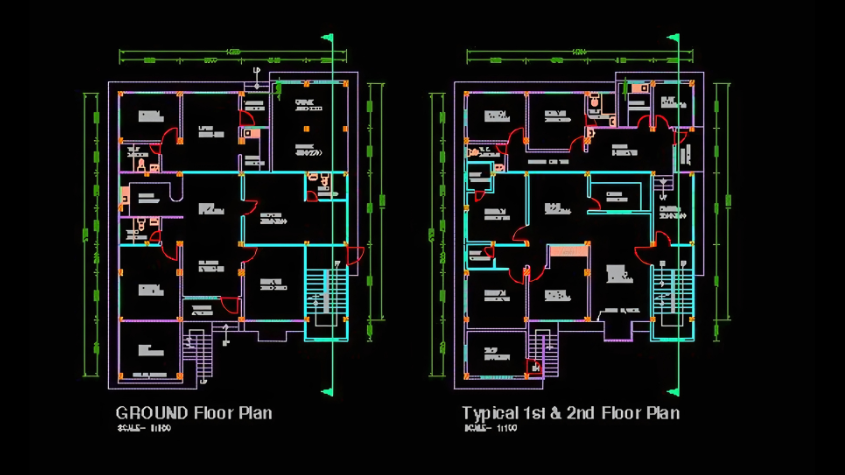
Best DXF Viewer: Compare the Top DXF Viewing Software in 2026
Choosing the Best DXF Viewer helps engineers, designers, and manufacturers inspect CAD drawings without needing the original design software
DXF (Drawing Exchange Format) is one of the most widely used file formats for exchanging CAD drawings between different design applications. Architects, engineers, manufacturers, and other technical professionals use DXF files to share 2D drawings, 3D geometry, technical details, and manufacturing information.
However, opening and reviewing a DXF file requires compatible software. A DXF viewer allows users to access drawing information without necessarily needing the original application used to create the file.
Whether you need to inspect an engineering drawing, review a mechanical component, check a cutting profile, or share a design with a client, choosing the right DXF viewer can simplify your workflow.
In this guide, we explain what a DXF viewer is, explore the important features to consider, compare popular DXF viewing applications, and discuss how ACTCAD supports DXF viewing, editing, and conversion.
What Is a DXF File?
DXF stands for Drawing Exchange Format. It is a CAD file format developed by Autodesk to make it easier to exchange drawing information between different CAD applications.
DXF files can contain various types of drawing information, including:
-
Lines, circles, arcs, and polylines.
-
Text, dimensions, and annotations.
-
Blocks and other drawing objects.
-
Layers and drawing properties.
-
2D geometry and supported 3D entities.
DXF files are commonly available in two forms:
1. ASCII DXF
ASCII DXF files store drawing information as readable text. This makes it possible to inspect the file's structured contents using a text editor, although understanding and interpreting the complete drawing requires knowledge of the DXF specification.
2. Binary DXF
Binary DXF files store drawing information in a more compact binary representation. They are not intended to be read directly as ordinary text.
DXF is widely used in engineering, architecture, manufacturing, CNC machining, and other industries where CAD drawing exchange is important.
What Is a DXF Viewer?
A DXF viewer is software that allows users to open, display, and inspect DXF drawings without necessarily creating or modifying the original design.
Depending on the application, a DXF viewer may provide features such as:
-
Opening and displaying DXF files.
-
Zooming and panning across drawings.
-
Viewing drawing layers.
-
Inspecting dimensions and drawing objects.
-
Measuring distances, angles, and areas.
-
Printing drawings.
-
Exporting drawings to PDF.
-
Reviewing 2D and 3D geometry.
-
Adding markups or annotations.
Some applications are designed exclusively for viewing, while others combine viewing with complete CAD drafting and editing capabilities.
Why Do You Need a DXF Viewer?
DXF viewers are useful in several professional and industrial workflows.
1. Reviewing Engineering Drawings
Engineers and designers frequently exchange DXF files with clients, suppliers, and other departments. A DXF viewer makes it possible to inspect drawings without requiring every person to have the same CAD design software.
2. Manufacturing and CNC Machining
DXF files are commonly used to exchange 2D profiles for laser cutting, plasma cutting, waterjet cutting, and CNC machining.
Manufacturing teams can use a compatible viewer to inspect cutting profiles, check geometry, and review drawings before production.
3. Architecture and Construction
Architects and construction professionals use DXF drawings to share plans, layouts, and technical details. A viewer helps contractors and project teams review drawing information.
4. Mechanical Design
Mechanical engineers use DXF files to exchange component outlines, sheet metal profiles, and other technical drawings.
A DXF viewer makes it easier to inspect these files before they are used in manufacturing or further design work.
5. Sharing Drawings with Clients
Clients and project stakeholders may only need to review a drawing rather than edit it. A DXF viewer provides a convenient way to inspect technical documents.
6. Checking Drawing Information
Measurement and layer visibility tools can help users examine drawing geometry and identify specific details. For critical engineering or manufacturing work, always verify units, scale, and drawing accuracy in the appropriate CAD application.
Best DXF Viewer Software to Consider in 2026
The Best DXF Viewer depends on your file compatibility, measurement, editing, and printing requirements.
Here are some options to consider.
1. Autodesk Viewer
Autodesk Viewer is a browser-based application that allows users to view and review supported 2D and 3D design files.
Key features:
-
Browser-based design viewing.
-
Support for multiple design file formats.
-
Measurement tools.
-
Markup and annotation capabilities.
-
Design sharing and collaboration.
Best suited for: Users who need to review supported CAD files online without installing desktop software.
Website: https://viewer.autodesk.com/
2. Autodesk DWG TrueView
Autodesk DWG TrueView is a Windows desktop application that supports viewing DWG and DXF drawings. It also provides drawing conversion capabilities for working with different DWG versions.
Key features:
-
DWG and DXF viewing.
-
Drawing navigation and inspection.
-
Layer visibility controls.
-
Measurement and inquiry tools.
-
DWG version conversion.
Best suited for: Windows users who need to view and inspect DWG and DXF drawings.
Website: https://www.autodesk.com/products/dwg-trueview/overview
3. ODA Drawings Explorer
Open Design Alliance (ODA) provides technologies and tools for working with CAD data. Its Drawings Explorer is another option for users who need to inspect supported CAD drawing files.
Key features:
-
CAD drawing inspection.
-
Access to drawing information.
-
Support for compatible CAD data.
-
Tools based on ODA technologies.
Best suited for: CAD users and developers working with supported drawing formats and ODA-based workflows.
Website: https://www.opendesign.com/
4. DWG FastView
DWG FastView provides CAD drawing access through supported web, desktop, and mobile environments.
Key features:
-
DWG and DXF drawing access.
-
Drawing navigation.
-
Measurement and markup tools.
-
Sharing and collaboration options.
-
Access across supported devices.
Best suited for: Users who need to review CAD drawings across multiple devices.
Website: https://en.dwgfastview.com/
5. ACTCAD
ACTCAD is a professional CAD application based on IntelliCAD technology. It supports native DWG and DXF workflows and provides tools for viewing, creating, editing, and converting CAD drawings.
Unlike a viewer-only application, ACTCAD allows users to move from reviewing a drawing to modifying or creating technical designs within the same software.
Key features:
-
Native DWG and DXF file support.
-
Viewing and editing of DXF drawings.
-
2D drafting and modification tools.
-
Layer and layout management.
-
Measurement and drawing inspection tools.
-
PDF printing and publishing.
-
PDF to DXF conversion.
-
Image to DXF conversion.
-
Additional 3D viewing and modelling capabilities, depending on the edition.
Best suited for: Engineers, architects, designers, manufacturers, and CAD professionals who need DXF viewing along with professional drafting and editing tools.
Website: https://actcad.com/
Note: ACTCAD features vary by edition. Refer to the official feature list for the latest details.
Comparison of Popular DXF Viewers
The following table provides a general comparison of the applications discussed above.
| Software | Platform | Main Capabilities |
|---|---|---|
| Autodesk Viewer | Web browser | Online drawing viewing and review |
| Autodesk DWG TrueView | Windows | DWG/DXF viewing and conversion |
| ODA Drawings Explorer | Supported desktop environments | CAD drawing inspection |
| DWG FastView | Web, desktop and mobile | CAD viewing and sharing |
| ACTCAD | Windows desktop | DXF viewing, drafting, editing and conversion |
The available features, supported file versions, and licensing conditions may change. Check the official product documentation before selecting a solution.
Important Features to Look for in the Best DXF Viewer
Before choosing DXF viewer software, consider the following features.
1. DXF File Compatibility
DXF compatibility is one of the most important factors when selecting a viewer.
DXF files may come from different CAD applications and may use different versions of the file specification. Your viewer should support the DXF versions and drawing entities used in your projects.
If you regularly receive files from different sources, test the software with representative drawings before adopting it.
2. 2D Drawing Viewing
A good DXF viewer should display common 2D drawing entities accurately.
These include:
-
Lines and polylines.
-
Circles and arcs.
-
Text and dimensions.
-
Hatches and patterns.
-
Blocks and references.
-
Layers and drawing properties.
Accurate display is important when reviewing technical drawings for engineering or manufacturing.
3. 3D Drawing Support
Some DXF files contain 3D geometry. If you work with 3D entities, choose software that supports the relevant geometry and provides suitable viewing controls.
Check whether the application allows you to rotate, zoom, and inspect 3D objects.
4. Zooming and Navigation
Zoom and pan functions make it easier to inspect large and detailed drawings.
Useful navigation features include:
-
Zoom in and zoom out.
-
Zoom extents.
-
Pan.
-
View controls.
-
Model space and layout navigation.
5. Layer Management
CAD drawings often contain multiple layers for different drawing elements.
Layer management allows users to show or hide specific information without modifying the original drawing.
This is especially useful when reviewing complex architectural, mechanical, or engineering files.
6. Measurement Tools
Measurement tools help users inspect distances, angles, and areas.
These tools are useful for preliminary drawing checks and design reviews. Always verify units, scale, and precision before using measurements for manufacturing or construction decisions.
7. Printing and PDF Export
A DXF viewer with printing and PDF export capabilities can make sharing drawings easier.
Consider whether the software supports:
-
Paper size selection.
-
Drawing orientation.
-
Plot scale.
-
Lineweight settings.
-
Layout-based printing.
-
PDF output.
8. Editing Capabilities
Some users need more than viewing. They may need to correct dimensions, move objects, modify geometry, or add drawing information.
If editing is part of your regular workflow, consider a complete CAD application rather than a basic viewer.
9. Performance
Large DXF drawings can contain many entities, layers, and complex geometric details.
Choose software that can handle your typical file sizes and drawing complexity without unnecessary delays.
10. Security and Privacy
Online viewers may require uploading drawings to a remote service. Before using them for confidential projects, check the provider's privacy policy, storage practices, and file retention terms.
For sensitive design files, consider whether a desktop application that works with local files is more appropriate.
Free DXF Viewer vs Professional DXF Software
Free DXF viewers can be suitable for users who only need to open and inspect drawings occasionally.
However, professional CAD applications may offer additional capabilities that become important in regular design work.
| Requirement | Basic DXF Viewer | Professional CAD Software |
|---|---|---|
| Open DXF files | Depends on compatibility | Yes, subject to supported formats |
| Zoom and pan | Usually available | Available |
| Layer viewing | Depends on software | Available in suitable applications |
| Measurement | May be available | Available |
| Drawing editing | Often limited or unavailable | Available |
| Create new drawings | Usually unavailable | Available |
| PDF printing | Depends on software | Commonly available |
| Advanced drafting | Usually unavailable | Available |
Which one should you choose?
Choose a free DXF viewer if you only need to inspect drawings.
Choose professional CAD software if you regularly create, modify, measure, print, and exchange technical drawings.
Applications of DXF Files Across Industries
DXF is used in many industries because it provides a practical way to exchange drawing information.
1. Mechanical Engineering
DXF files are used for mechanical drawings, component profiles, sheet metal designs, and manufacturing documentation.
2. Civil Engineering
Civil engineers use DXF drawings for site layouts, road design details, survey information, and infrastructure drawings.
3. Architecture
Architectural drawings may include floor plans, elevations, sections, and other design information exchanged in DXF format.
4. Laser Cutting and Waterjet Cutting
Manufacturers often use DXF files to exchange 2D cutting profiles. The geometry can be inspected before it is prepared for a machine workflow.
5. CNC Machining
DXF files are used in certain CNC workflows to transfer drawing geometry and profiles between design and manufacturing applications.
The exact file requirements depend on the machine, CAM software, and production process.
6. Textile and Footwear Industries
DXF files can be used to exchange patterns, outlines, and cutting profiles in textile, garment, and footwear workflows.
7. GIS and Surveying
DXF drawings can also be used to exchange certain types of geometric information in surveying and mapping workflows.
Why Choose ACTCAD as a DXF Viewer and Editor?
ACTCAD provides a combination of DXF viewing, editing, drafting, and conversion capabilities. It is designed for professionals who need to work with CAD drawings rather than simply open them for inspection.
1. Native DWG and DXF Support
ACTCAD supports native DWG and DXF workflows. Users can open, edit, and save supported drawing files without relying on a separate file conversion step for routine CAD work.
2. Complete 2D Drafting and Editing
ACTCAD provides professional 2D drafting and editing tools. Users can create and modify drawing entities, work with layers, manage dimensions, and prepare technical drawings.
3. Drawing Conversion Tools
ACTCAD includes conversion tools for supported drawing workflows, including PDF to DXF and image to DXF conversion.
These tools can help users bring information from other document formats into a CAD environment.
4. PDF Printing and Publishing
ACTCAD includes an integrated PDF printer for preparing drawing documents.
It also provides MULTIPRINT for batch printing, helping users manage multiple drawing outputs.
5. 3D Viewing and Modelling
ACTCAD Standard includes 3D viewing capabilities. ACTCAD Premium adds advanced 3D modelling and visualization features, including ACIS solid modelling and rendering.
6. Professional CAD Productivity
ACTCAD includes additional features such as layer management, layout and sheet management, block libraries, and customization support.
These capabilities make it useful for professionals who need a broader CAD workflow.
Explore the complete feature list: https://actcad.com/features.php
How to Open and View a DXF File in ACTCAD
You can use ACTCAD to open and inspect supported DXF drawings.
Follow these general steps:
-
Install and launch ACTCAD.
-
Open the File menu.
-
Select Open.
-
Browse to the location of your DXF file.
-
Select the required DXF drawing.
-
Open the file in the drawing window.
-
Use zoom and pan commands to inspect the drawing.
-
Use layer controls to manage drawing visibility.
-
Use measurement tools when required.
-
Print or export the drawing to PDF if needed.
The exact menu labels may vary slightly between software versions and interface configurations.
ACTCAD is a useful option for users looking for the Best DXF Viewer with additional professional drafting and editing capabilities.
Frequently Asked Questions
1. What is the best DXF viewer?
The best DXF viewer depends on your requirements. Autodesk DWG TrueView is an option for Windows users, Autodesk Viewer provides browser-based viewing, and ACTCAD is suitable for users who need DXF viewing along with professional drafting and editing capabilities.
2. Can I open DXF files without AutoCAD?
Yes. You do not need AutoCAD specifically to open DXF files. Applications such as Autodesk Viewer, Autodesk DWG TrueView, and ACTCAD support DXF workflows. Always check the supported file versions and features.
3. Is DXF a free file format?
DXF is a publicly documented CAD exchange format. Users can create and exchange DXF files using compatible CAD applications. Individual software products may have their own licensing terms and conditions.
4. What is the difference between DWG and DXF?
DWG is a native drawing file format widely used in CAD applications. DXF is a drawing exchange format designed to help transfer CAD information between different applications.
Both formats are used for sharing and storing technical drawing information.
5. Can DXF files contain 3D information?
Yes. DXF can store supported 3D entities and geometric information. However, the ability to display or interpret those entities depends on the software used to open the file.
6. Can I convert DXF files to PDF?
Yes. Many CAD applications provide printing or PDF export capabilities. ACTCAD includes an integrated PDF printer that can be used to create PDF copies of supported drawings.
7. Can I edit a DXF file using a viewer?
Some applications provide only viewing functions, while others include editing tools. If you need to modify drawing geometry, choose a CAD application that supports DXF editing.
8. Is ACTCAD a DXF viewer or a complete CAD application?
ACTCAD is a complete CAD application that supports DXF viewing, editing, drafting, and conversion. It provides additional features beyond those available in a basic viewer.
9. Can DXF files be used for laser cutting?
Yes. DXF files are commonly used to exchange 2D profiles for laser cutting and other manufacturing processes. Before production, check the geometry, units, scale, and machine-specific file requirements.
10. Does ACTCAD support different DXF versions?
ACTCAD supports native DXF workflows. For a specific project, verify compatibility with the DXF version supplied by your client or design partner using the current ACTCAD release.
Conclusion
Choosing the best DXF viewer depends on how you work with CAD drawings. If you only need to open and inspect files, a basic or online viewer may be sufficient. However, if you regularly work with engineering drawings, manufacturing profiles, and technical designs, a professional CAD application can provide greater flexibility.
Choosing the Best DXF Viewer depends on your workflow, supported file formats, and required features.
ACTCAD combines DXF viewing with professional drafting, editing, conversion, and printing capabilities. It helps users manage more of their CAD workflow within one application.
Explore ACTCAD and test it with your own DXF drawings to see whether it meets your requirements.
Visit ACTCAD: https://actcad.com/
Explore ACTCAD features: https://actcad.com/features.php
Start your free trial: https://actcad.com/


