Last 5 IntelliCAD Releases: Features and Improvements from Versions 11 to 15
Last 5 IntelliCAD Releases: Features and Improvements from Versions 11 to 15
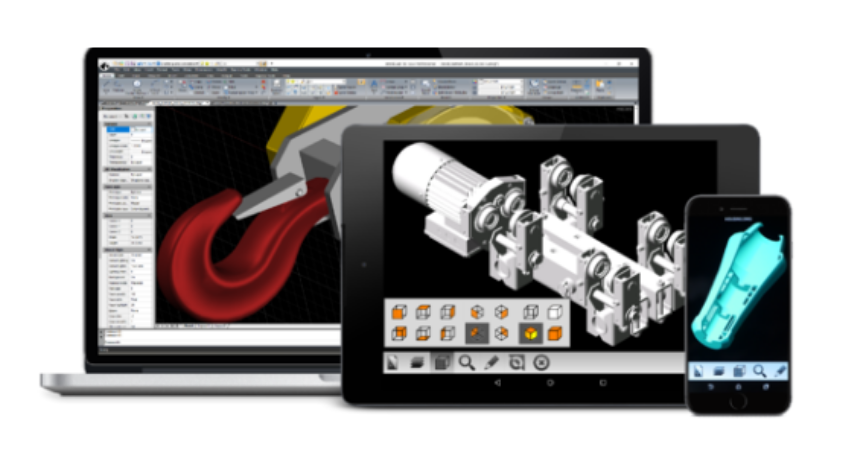
IntelliCAD is a computer-aided design (CAD) engine and development platform used by commercial software companies to build professional CAD applications. Developed by the IntelliCAD Technology Consortium (ITC), the platform supports DWG-based design workflows and provides tools for 2D drafting, 3D modelling, engineering documentation and specialized CAD applications.
Over the years, IntelliCAD has introduced improvements in drawing performance, graphics, file compatibility, BIM workflows, data extraction, customization and developer tools. These developments help ITC members build CAD products for architects, engineers, surveyors and designers.
In this article, we explore the Last 5 IntelliCAD Releases, covering versions 11.0, 12.0, 13.0, 14.0 and 15.0. Discover the major features, drafting improvements, performance updates and new development capabilities introduced in each release. We also look at IntelliCAD 14.1 and explain how it relates to ACTCAD 2027.
What Is IntelliCAD?
IntelliCAD is a CAD engine and development platform maintained by the IntelliCAD Technology Consortium. The ITC is an independent, member-supported organization that develops and licenses IntelliCAD technology to commercial software companies.
Unlike a conventional CAD software vendor that sells one application directly to every end user, the ITC provides its technology to member companies. These companies develop and market their own CAD applications using the IntelliCAD platform, often adding specialized features, tools and services.
IntelliCAD-based applications support professional CAD workflows, including:
- 2D drafting and technical drawing creation.
- 3D modelling and visualization.
- DWG and DXF drawing workflows.
- Layers, blocks, dimensions and annotations.
- PDF import and export capabilities.
- Customization and application development.
- Specialized engineering, mapping and BIM workflows, depending on the product.
For more information, visit the official IntelliCAD Technology Consortium website.
Last 5 IntelliCAD Releases: Version-by-Version Features
The Last 5 IntelliCAD Releases show how the platform has evolved to meet changing CAD requirements. Each version brings improvements to drawing tools, file compatibility, graphics, customization or specialized design workflows. The following overview highlights the major features and improvements introduced in each release.
1. IntelliCAD 15.0
Released in August 2026, IntelliCAD 15.0 is the latest major release covered in this article. It introduces significant improvements to the LISP development environment, along with previews of AI-assisted CAD workflows and drawing comparison tools.
Important features and improvements include:
- Drawing Compare preview: The COMPARE command allows users to compare two drawings and visually identify differences. Objects unique to each drawing are highlighted, helping users review design changes.
- AI-assisted CAD feature preview: In supported IntelliCAD versions, users can interact with drawings through natural-language prompts, ask questions, select entities and retrieve drawing information.
- LISP engine improvements: The release includes a modernized LISP engine and expanded development capabilities.
- Improved performance: Enhancements improve performance in areas such as compiled LISP applications, undo operations, VBA workflows and entity snapping.
- BIM improvements: Updates include Revit Type Catalog support, improved IFC import for complex wall geometry and additional flexibility for curved walls.
- Interface improvements: Standard versions include a modernized interface with the Ribbon, Quick Access Toolbar and Start Page by default.
- Printing and publishing: Additional print resolution options, shade plot styles and DXF publishing support improve drawing output workflows.
- Drafting enhancements: Improvements include revision cloud options, FILLET and CHAMFER previews, table AutoFill and updates to text and table editing.
Why it matters: IntelliCAD 15.0 represents a major step forward in platform development, especially for LISP developers and users interested in AI-assisted CAD workflows. However, the AI and Drawing Compare capabilities announced in this release are feature previews and should not be treated as universally available production features in every IntelliCAD-based application.
Read the official IntelliCAD 15.0 release details.
2. IntelliCAD 14.0
Released on 31 July 2025, IntelliCAD 14.0 focused on performance improvements, interface enhancements, interoperability and everyday drafting productivity.
Important features and improvements include:
- Modernized user interface: Introduced dark, light and gray theme options, along with refreshed icons and interface improvements.
- Faster CAD operations: Performance improvements were introduced for commands such as COPY, BREAK, MOVE and UNION.
- SVG import: Users can import SVG files into supported IntelliCAD workflows.
- Improved DGN import: Additional import options provide more control over view selection, entity conversion, line weights and related settings.
- QR code generation: QRTEXT and QRLEADER commands allow users to create QR codes from drawing text and leader annotations.
- Table improvements: Table editing includes AutoFill functionality for common data-entry tasks.
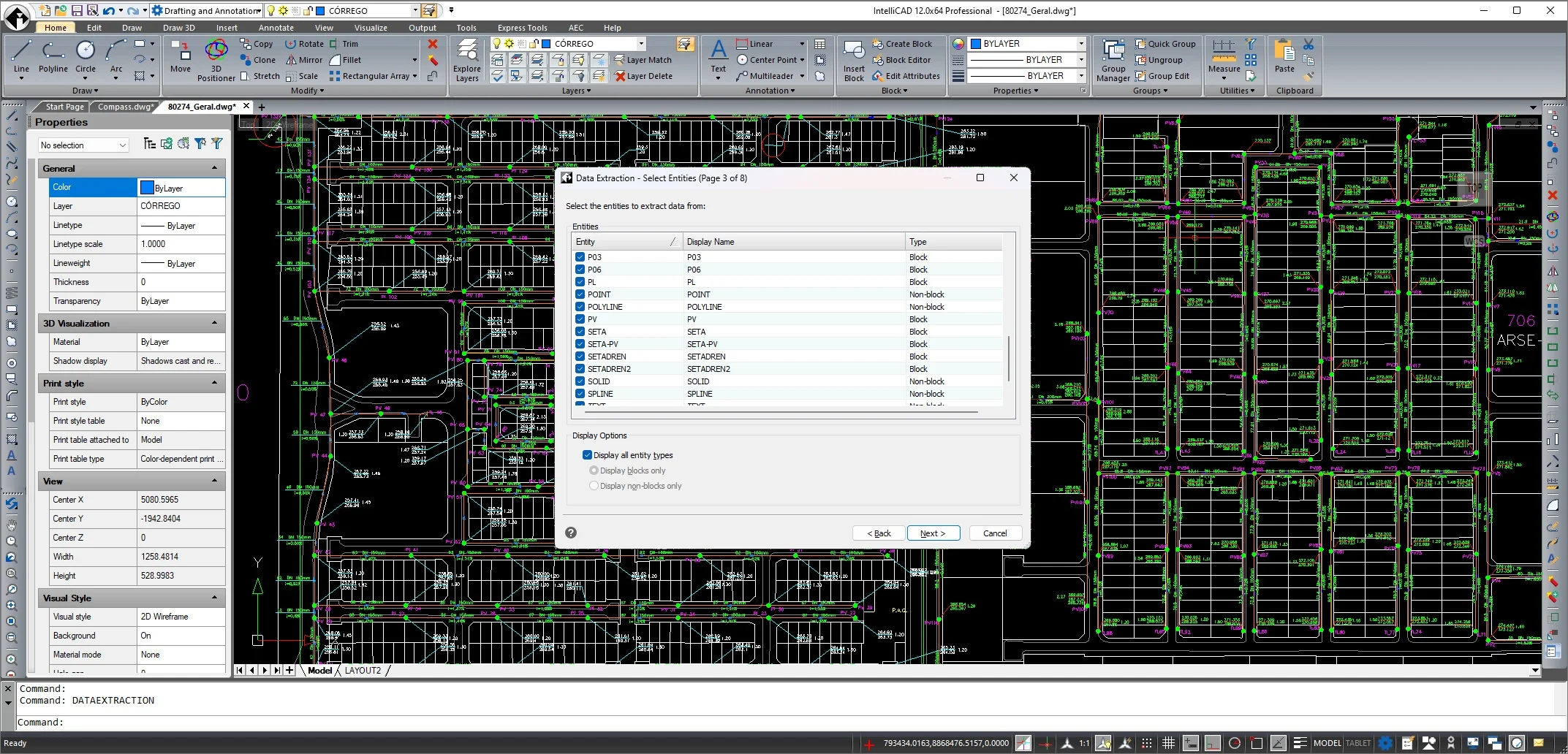
- Data extraction: Improvements include filtering options for refining extracted drawing information.
- BIM enhancements: Supported versions include updates to Revit file compatibility and BIM-related workflows.
Why it matters: IntelliCAD 14.0 focused on making daily CAD work more efficient through faster commands, a modern interface and improved drawing data management.
Read the official IntelliCAD 14.0 release details.
3. IntelliCAD 13.0
Released on 25 July 2024, IntelliCAD 13.0 introduced improvements in graphics performance, advanced blocks, data extraction and developer tools. The release was also an important step in modernizing the platform's LISP and application development capabilities.
Important features and improvements include:
- Graphics performance: Updates to OpenGL and OpenGL ES graphics devices improved drawing updates and regeneration performance.
- Improved large drawing workflows: Enhancements made working with view changes, view cubes and section planes more responsive in large drawings.
- Faster data extraction: Improvements helped users scan, sort and report information from large drawing datasets.
- Hatch performance: Boundary processing in the HATCH command became faster.
- LISP API improvements: The LISP API was rewritten to improve performance and compatibility.
- Developer tools: An enhanced pre-release of the IcARX API helped developers port supported ObjectARX applications.
- Advanced CAD functionality: The release included additional improvements and fixes across drawing, file handling and related workflows.
Why it matters: IntelliCAD 13.0 strengthened graphics performance and development flexibility, benefiting both CAD users and companies building applications on the platform.
Read the official IntelliCAD 13.0 release information.
4. IntelliCAD 12.0
Released on 13 October 2023, IntelliCAD 12.0 introduced several new drawing, reporting, table and productivity features. It focused on improving the way users manage drawing information and work with reusable design elements.
Important features and improvements include:
- Reports and templates: Users can create reports and report templates by extracting drawing information into tables and Excel files.
- Super Hatches: Users can create advanced hatches using images, textures, blocks, external references and wipeouts.
- Quick Properties: The Quick Properties pane can be displayed and customized dynamically to modify frequently used entity properties.
- Spline improvements: Spline creation includes control vertices and knot parameterization options.
- Geometric Center snap: A new object snap option helps users identify the geometric center of supported objects.
- Table enhancements: Tables can be exported to CSV files and created or updated using extracted drawing data.
- Explorer improvements: Additional visual style and layout settings provide more control over drawing management.
Why it matters: IntelliCAD 12.0 improved drawing data extraction, reporting, hatch creation and table management, helping users handle more complex technical documentation.
Read the official IntelliCAD 12.0 announcement.
5. IntelliCAD 11.0
Released on 4 August 2022, IntelliCAD 11.0 introduced improvements in visualization, performance, file handling and developer capabilities.
Important features and improvements include:
- Section planes: Users can visualize cross-sections of 3D models.
- Improved navigation: The View Cube and other view controls help users change viewing directions and navigate models.
- Walk and fly navigation: These tools provide additional ways to explore 3D models and environments.
- Visual styles: Improved visualization controls help users change the appearance of models.
- PDF output: The PDF Out command provides a direct workflow for exporting drawings to PDF.
- 3D model export: Users can export three-dimensional models to OBJ format.
- Map data connectivity: Map import workflows include connections to PostgreSQL, MySQL and WFS servers.
- Quick Select improvements: Performance improvements help users select entities in large drawings more efficiently.
- Developer capabilities: The release introduced an early member pre-release of the IcARX API to support application development and porting workflows.
Why it matters: IntelliCAD 11.0 improved model visualization and data connectivity while introducing important development tools for ITC members.
Read the official IntelliCAD 11.0 release details.
Important Intermediate Update: IntelliCAD 14.1
The Last 5 IntelliCAD Releases cover the major numbered versions, but intermediate updates also play an important role in the platform's development. IntelliCAD 14.1 is one such update, bringing additional improvements to the version 14 platform.
IntelliCAD 14.1 was announced on 10 December 2025. It focused on stability, performance and improvements across drafting, mapping, BIM, DGN and developer workflows.
Notable IntelliCAD 14.1 improvements include:
- Geospatial PDF: Export and print drawings to geospatial PDF with coordinate system information.
- Azure Maps support: The GEO map feature added Microsoft Azure Maps as an additional map provider.
- Improved raster PDF output: Enhancements for exporting large raster images to PDF.
- Advanced block testing: A block test window makes it easier to test advanced block grips and behaviour.
- Tool Palettes: Additional support for images, leaders and external references.
- LISP application support: Support for compiled and protected LISP applications in FAS and VLX formats.
- BIM and IFC: Improvements to IFC import and wall-opening workflows.
- Reliability improvements: Fixes across snapping, printing, tables, external references and everyday drawing operations.
IntelliCAD 14.1 is particularly relevant to ACTCAD because ACTCAD 2027 is built on the IntelliCAD 14.1 engine.
Read the official IntelliCAD 14.1 release details.
IntelliCAD Release Timeline
The following table summarizes the Last 5 IntelliCAD Releases covered in this article, along with the important IntelliCAD 14.1 update.
| Version | Release Date | Major Focus |
|---|---|---|
| IntelliCAD 11.0 | August 2022 | 3D visualization, navigation, PDF output and developer tools |
| IntelliCAD 12.0 | October 2023 | Reports, super hatches, Quick Properties and table enhancements |
| IntelliCAD 13.0 | July 2024 | Graphics performance, data extraction and LISP API improvements |
| IntelliCAD 14.0 | July 2025 | Interface modernization, performance and drafting productivity |
| IntelliCAD 14.1 | December 2025 | Geospatial PDF, block testing, LISP and reliability improvements |
| IntelliCAD 15.0 | August 2026 | AI feature previews, Drawing Compare preview and LISP modernization |
How Does IntelliCAD Relate to ACTCAD?
ACTCAD is a commercial member of the IntelliCAD Technology Consortium. It uses IntelliCAD technology as the foundation for its CAD products and adds its own features, tools, interface enhancements and product-specific capabilities.
ACTCAD 2027 is powered by the IntelliCAD 14.1 engine. It is important to distinguish the engine version from the ACTCAD product version: ACTCAD 2027 does not mean that it is based on IntelliCAD 15.0.
ACTCAD 2027 includes product-level features and improvements such as:
- Native DWG and DXF support.
- 2D drafting and editing commands.
- Geometric constraints.
- Power Trim and enhanced editing commands.
- Layer, layout and sheet management improvements.
- Block previews and improved block workflows.
- More than 7,000 blocks and symbols.
- PDF and drawing conversion tools.
- 3D modelling capabilities in the Premium edition.
- Mapping and surveying tools in Map Drafter.
ACTCAD is available in different editions to support different professional requirements:
- ACTCAD Standard: Professional 2D drafting and drawing documentation.
- ACTCAD Premium: 2D drafting along with additional 3D modelling capabilities.
- ACTCAD Map Drafter: Specialized mapping, surveying and GIS-related drafting workflows.
To learn more, visit the official ACTCAD website or explore the ACTCAD feature list.
How to Get IntelliCAD-Based CAD Software
The IntelliCAD Technology Consortium develops and licenses the IntelliCAD platform to its commercial members. These member companies develop and sell their own IntelliCAD-based CAD applications.
Users interested in IntelliCAD-based software should explore the products offered by ITC members and compare their features, supported file formats, licensing options and technical support.
ACTCAD is one such commercial CAD application. Users can explore ACTCAD editions and request a trial to evaluate the software using their own drawings.
Request the ACTCAD free trial or visit the ACTCAD store for product and licensing information.
Frequently Asked Questions About IntelliCAD
What is the latest IntelliCAD version?
As of November 2026, IntelliCAD 15.0 is the latest major platform release announced by the IntelliCAD Technology Consortium. Availability in commercial products depends on the individual ITC member and its product release schedule.
What are the Last 5 IntelliCAD Releases?
The Last 5 IntelliCAD Releases covered in this article are IntelliCAD 11.0, 12.0, 13.0, 14.0 and 15.0. IntelliCAD 14.1 is an important intermediate update to version 14.
What is the difference between IntelliCAD and ACTCAD?
IntelliCAD is the CAD engine and development platform maintained by the IntelliCAD Technology Consortium. ACTCAD is a commercial CAD product developed by Jytra Technology Solutions using IntelliCAD technology, with additional tools, features and product-specific capabilities.
Is ACTCAD 2027 based on IntelliCAD 15.0?
No. ACTCAD 2027 is based on the IntelliCAD 14.1 engine. IntelliCAD 15.0 is a separate platform release announced by the IntelliCAD Technology Consortium in August 2026.
Does IntelliCAD support DWG and DXF files?
IntelliCAD-based applications support DWG and DXF workflows. Exact file compatibility and supported versions can depend on the particular application and its release.
Can IntelliCAD be used for 2D drafting and 3D modelling?
Yes. IntelliCAD provides technology for both 2D drafting and 3D modelling. The available capabilities depend on the commercial application and edition built on the platform.
Do the Last 5 IntelliCAD Releases support LISP?
Yes. LISP customization is supported by IntelliCAD, although specific capabilities can vary between versions and commercial applications. Across the Last 5 IntelliCAD Releases, the platform has continued to improve its LISP development environment, with IntelliCAD 13.0 bringing LISP API improvements and IntelliCAD 15.0 introducing a modernized LISP engine.
Where can I download IntelliCAD software?
The IntelliCAD Technology Consortium licenses its platform to commercial members. Users can obtain IntelliCAD-based CAD applications directly from those member companies. ACTCAD is one option and offers a free trial through its official website.
Conclusion
The Last 5 IntelliCAD Releases demonstrate the continued development of the IntelliCAD CAD platform from version 11.0 through version 15.0. Across these releases, the platform has introduced improvements in drafting, graphics performance, visualization, data extraction, BIM, file compatibility, customization and application development.
IntelliCAD 15.0 introduces new AI-assisted feature previews, Drawing Compare preview functionality and a modernized LISP engine. Earlier releases also brought important improvements to graphics, data extraction, tables, BIM workflows and everyday drafting productivity.
For users looking for an IntelliCAD-based CAD application, ACTCAD provides professional drafting and design tools through its Standard, Premium and Map Drafter editions. ACTCAD 2027 is based on IntelliCAD 14.1 and adds ACTCAD-specific features for engineering and design workflows.
Explore ACTCAD: Visit the official website | Request a free trial